

How legal professionals help set the hierarchy
Three AI models read the statutes and court decisions first; legal professionals of each jurisdiction then check and correct those readings against the original text. Screens from the review tool now in preparation, filled with demo data, show how it works.
Models read first, legal professionals check
Three AI models from different companies read the statutes and decisions first and record which values collided and which one the law put first. But a model can misread the text, or take something a court said only in passing for its conclusion.
That is why the eyes of people who work with the law are needed. Lawyers, judges, prosecutors and law professors of that jurisdiction look at the original text and confirm or correct what the models read.
- When two legal professionals who have checked the original text reach the same judgment, it takes precedence over the models’ majority.
- A single professional’s judgment counts as one vote, the same weight as one model’s answer.
- A professional’s value does not erase the models’ values. Every value stays side by side on the document card, so anyone can see who read it how.
We confirm the legal credential first
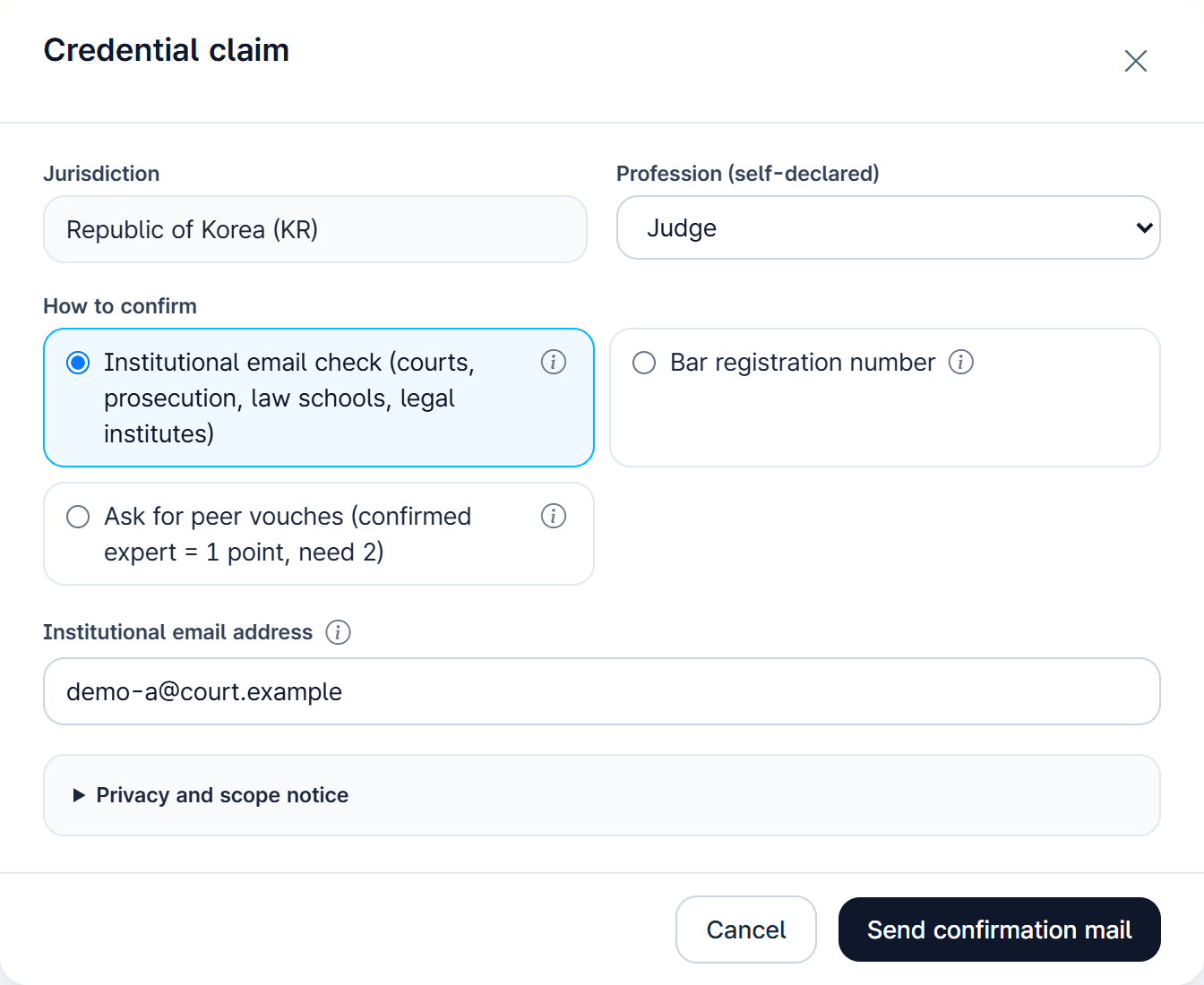
Before taking part, the legal credential is confirmed. There is no test: the credential you already hold is confirmed in whichever of these ways suits you.
- Institutional email
- An email address at a court, prosecution office or law school confirms the affiliation.
- Professional register
- Where an official register such as the bar roll can be checked, we check against it.
- Vouching by peers
- Two legal professionals whose credentials are already confirmed vouch for the person.
Sitting judges and prosecutors can show only their profession, such as “Judge · role confirmed”, without a name. Identifiers such as email addresses or registration numbers are never shown on any screen.
Choose the decisions and provisions that need your judgment
Every court decision and statutory provision has its own card. Pick the fields you know well or the decisions that catch your eye and open them. At first only documents from the jurisdiction of your confirmed credential are shown, and each card shows where it stands.
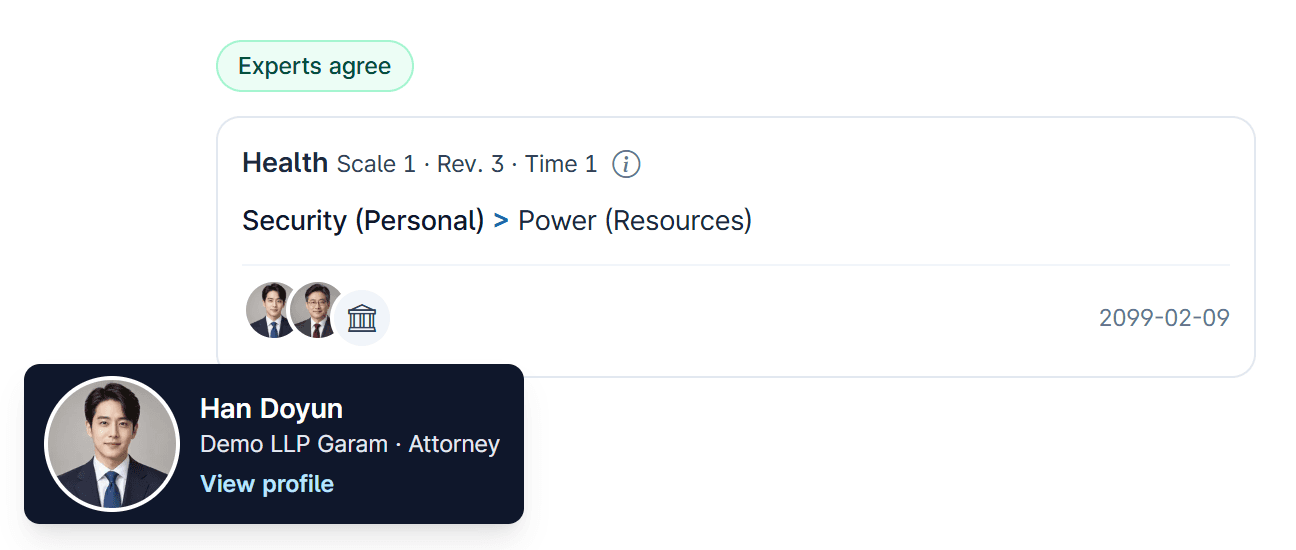
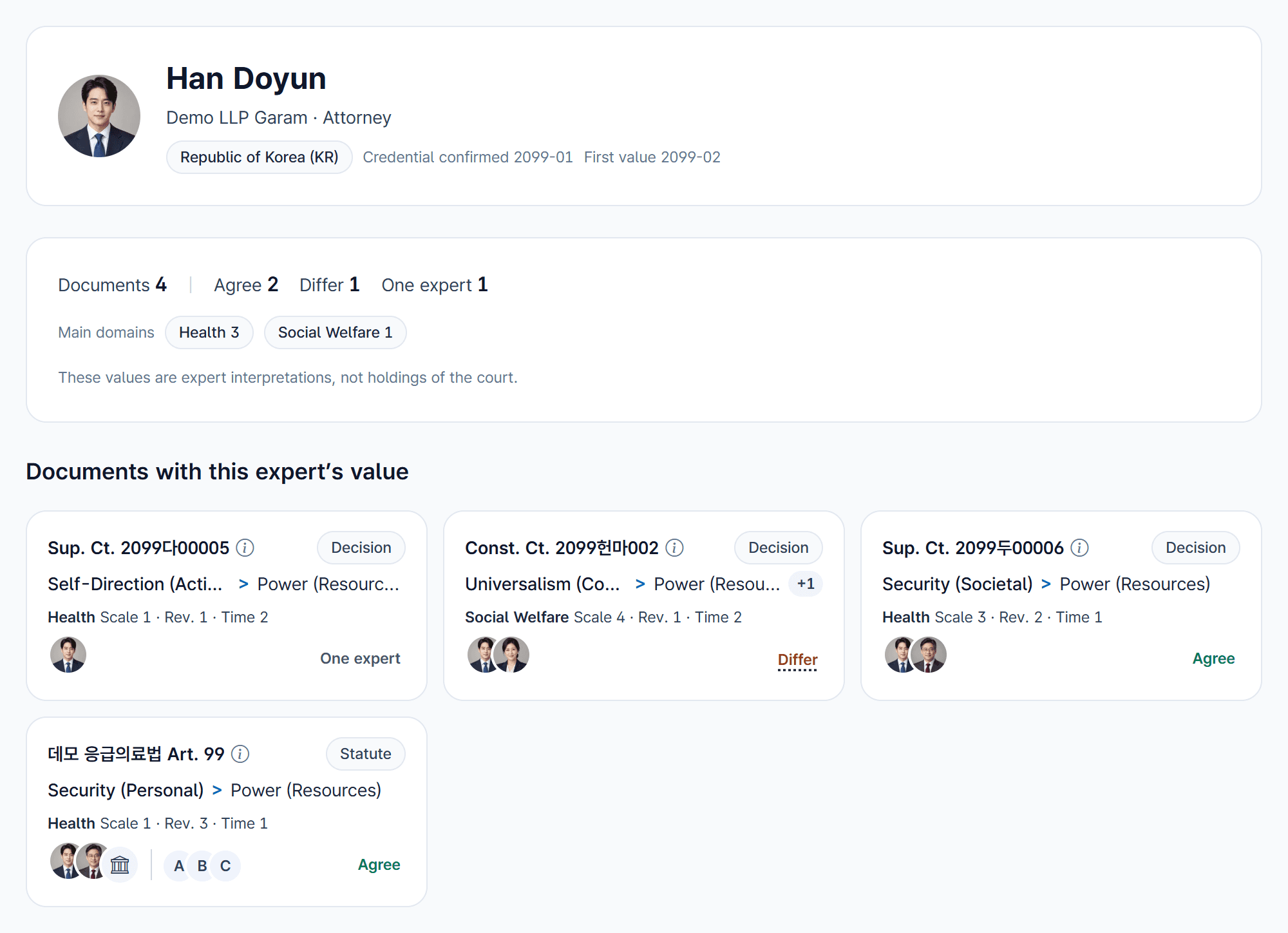
- Experts agree
- Two or more legal professionals reached the same judgment.
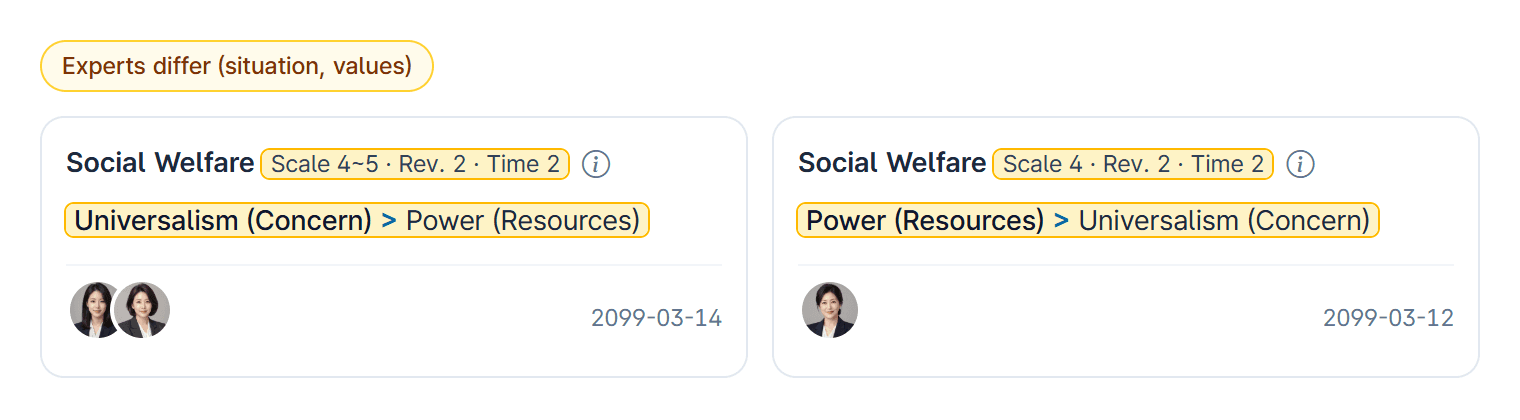
- Experts differ
- The professionals’ judgments differ, and the point of difference is shown.
- One expert
- Only one professional has given a judgment so far.
- Model extractions only
- No professional judgment yet, only the models’ values. Hover over the model logos to see how far the models agree.

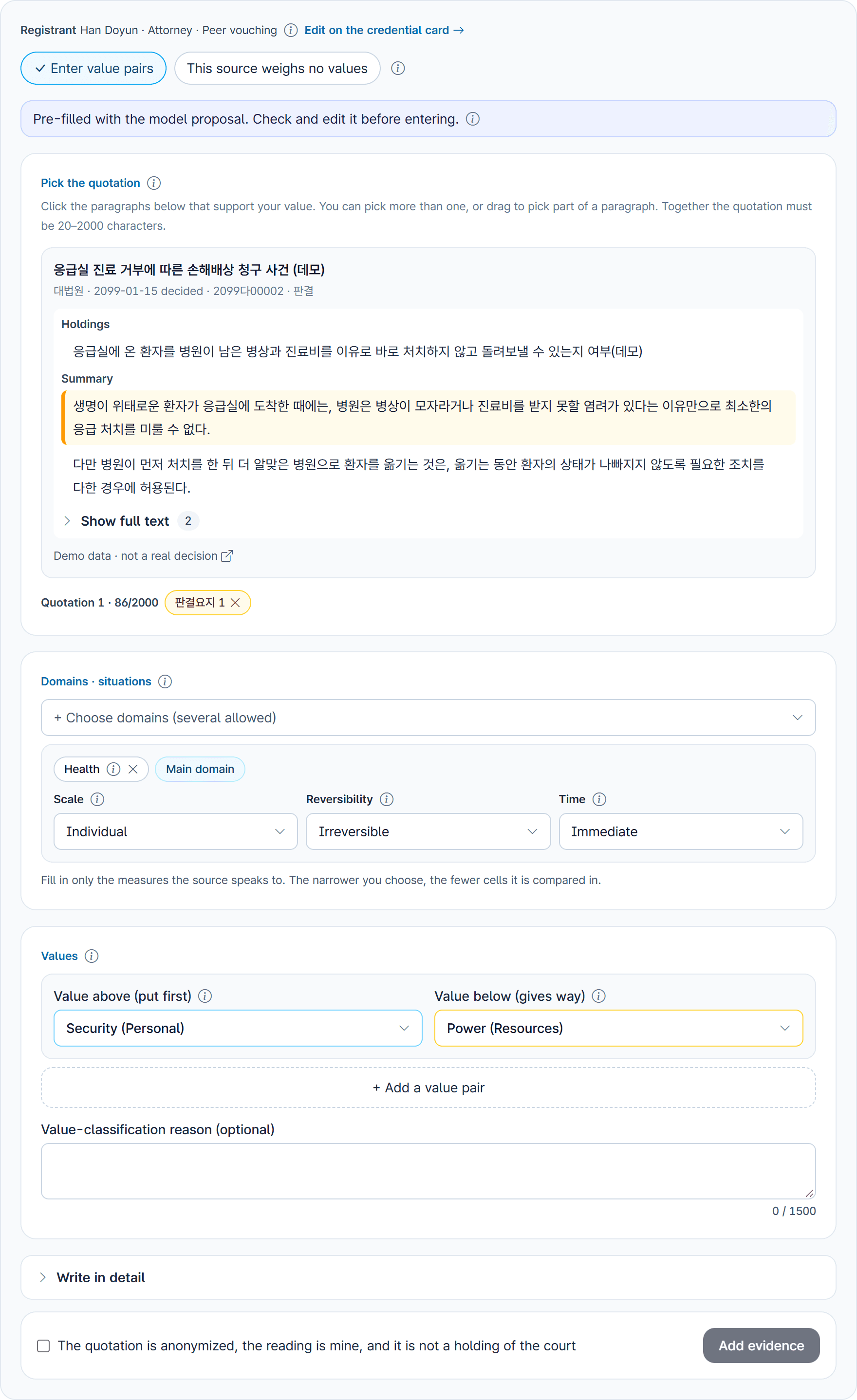
Record your judgment while reading the text
- 1Open a document to see its original text, and mark the paragraphs your judgment rests on.
- 2Choose the domain and the situation: the scale of the matter, whether it can be undone, and how urgent it is.
- 3Choose which of the two colliding values the law put first.
The models’ reading is filled in already: submit it as it is, or change it. If you find that no two values collide in the document, you can choose “This source weighs no values”.
Decisions not yet listed can be added too: enter the case number in “Add evidence” and the official text is loaded.
See your judgment next to others’
No one’s judgment corrects or blocks another. Once you submit, your judgment appears next to those of the other professionals who looked at the same document.
Matching judgments are marked “Experts agree”; different ones “Experts differ”, with the point of difference (domain, direction or situation) highlighted in yellow. A split is a place worth looking at again.
Identical judgments share one card, and the people who hold them appear as photos below it. Hovering over a photo shows a small card with the name, affiliation and profession; clicking it opens that person’s public profile. Those who keep their name private show only their profession and have no profile link.

As judgments come in, the order is recounted
- 1Two legal professionals reach the same judgment
- 2It becomes that document’s value
- 3Domain base order and situation exceptions are recalculated
- 4The observation map is updated
- Where judgments differ, or only one professional has given one, all values for that document are counted (one vote per model or person) and the most common one is used. A single professional’s judgment is one of those votes.
- For each domain, documents are counted by direction. Only a two-thirds majority becomes an order; otherwise the pair is shown as split.
Korea first
We are preparing Korea first. Other jurisdictions (China, Germany, the EU, India, Japan and the United States) will open once we have looked into how legal credentials can be confirmed there, for example through the bar roll.
Legal professionals work on the documents of their own jurisdiction: Korean law is read by Korean lawyers, Japanese law by Japanese lawyers. That is a basic rule of the method.
The screenshots on this page show the review tool now in preparation, filled with invented demo data. Case numbers (year 2099), people and source text are not real.
How to do the work on screen
A separate guide walks through the screens in order: signing up and confirming a credential, choosing documents, recording and revising judgments, and common mistakes.